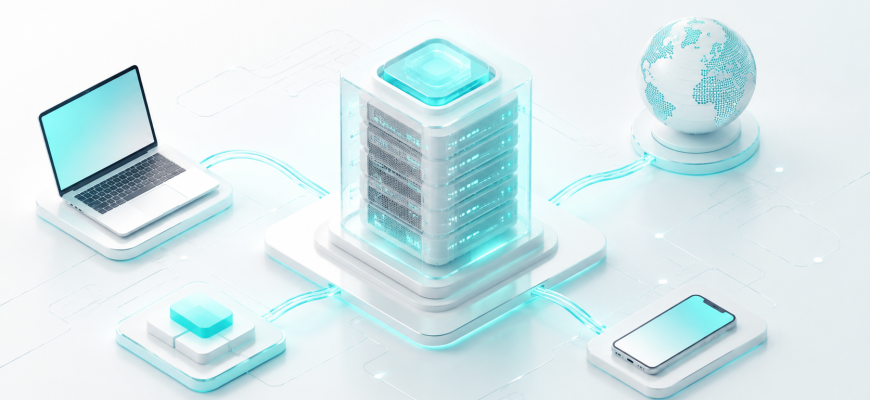
A server is a computer or software system that provides a service to other computers. That definition is simple, but understanding what happens between a request and a response gives you the foundation for almost everything else in server administration.
When you open a website, upload a file, query a database, send email, or connect through SSH, you are interacting with one or more servers. Behind that interaction are CPU, RAM, storage, networking, an operating system, and application software working together.
- Build the mental model first
- 🖥️ What Is a Server?
- 🔄 The Client-Server Model
- 🧩 What’s Inside a Server?
- ⚙️ CPU: Executes the Work
- 🧠 RAM: The Server’s Active Workspace
- 💾 Storage: Keeps Data Persistently
- 🌐 Network Interface: Connects the Server
- ⚡ How Does a Server Process a Request?
- 🏢 Physical Server vs Virtual Server
- 🧰 Common Server Roles
- 🏗️ A Simple Real-World Architecture
- 🚫 Common Beginner Misconceptions
- 🧪 Mini Lab: Build a Tiny Server Yourself
- ✅ Knowledge Check
- 🎓 What to Learn Next
Build the mental model first
Understand why a server is defined by its role rather than its shape.
Learn the request-and-response model used throughout computing.
See how CPU, RAM, storage, and networking fit together.
Follow a request from DNS lookup to application response.
Understand how virtualization separates hardware from server instances.
Web, database, DNS, mail, file, and application servers.
🖥️ What Is a Server?
A server is a computer system or software process that provides resources, data, or functionality to other systems called clients.
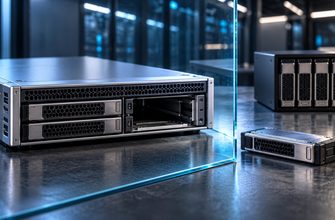
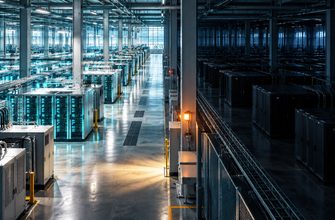
A server does not have to be a huge rack-mounted machine. Your laptop can act as a server. So can a small single-board computer, a virtual machine, or a large multi-socket system in a data center.
A client asks for something. A server receives the request, performs work, and returns a response.
For example, your browser becomes a client when it requests a web page. The system hosting that page acts as the server.
🔄 The Client-Server Model
The client-server model appears everywhere in computing. The protocols and applications change, but the relationship remains similar: one side asks, the other side provides.
| Client | What It Wants | Server Role |
|---|---|---|
| 🌐 Web browser | Web page or API response | Web server |
| 📨 Email application | Send or retrieve messages | Mail server |
| 📱 Application | Stored records | Database server |
| 💻 Workstation | Shared file | File server |
“Client” and “server” are not always permanent categories of computer. They describe roles in a communication. A system can act as a server in one interaction and as a client in another.
A web application server, for example, may receive a request from your browser and then act as a client itself when it queries a database server.
🧩 What’s Inside a Server?
A physical server uses many of the same basic components as a desktop computer. The important differences are often capacity, reliability, expandability, remote management, redundancy, networking, cooling, and the ability to run continuously under sustained workloads.
Executes operating-system and application instructions.
Holds active code and data for fast access.
Stores operating systems, databases, files, and logs.
Carries requests and responses between systems.
⚙️ CPU: Executes the Work
The central processing unit executes instructions. Application logic, encryption, compression, database operations, operating-system tasks, and many other workloads consume CPU time.
Processors may contain multiple cores, allowing multiple tasks to progress concurrently. Some CPUs also expose multiple hardware threads per core.
Influence how quickly individual execution threads complete work.
Helps workloads that can perform tasks in parallel.
Shows whether CPU capacity is actually becoming a bottleneck.
🧠 RAM: The Server’s Active Workspace
RAM holds data that the operating system and running applications need to access quickly.
A database, for example, may keep frequently used data in memory instead of reading it repeatedly from slower persistent storage.
Under memory pressure, Linux may reclaim caches, use swap, or eventually terminate processes when memory is exhausted.
💾 Storage: Keeps Data Persistently
Storage keeps the operating system, applications, databases, website files, logs, backups, and virtual disks available even after the server loses power.
| Storage Type | How It Works | Typical Strength |
|---|---|---|
| 🧲 HDD | Mechanical magnetic storage | High capacity at lower cost |
| 💿 SATA SSD | Flash storage over SATA | Much lower latency than HDD |
| ⚡ NVMe SSD | Flash storage over PCIe/NVMe | High parallelism and low latency |
🌐 Network Interface: Connects the Server
A network interface controller, or NIC, connects the server to other systems and networks.
Larger environments may separate different categories of traffic:
⚡ How Does a Server Process a Request?
Real application architectures can involve DNS, TLS, reverse proxies, load balancers, caches, databases, queues, and multiple application servers. But the basic path is easy to understand.
A hostname is commonly resolved to an IP address through DNS.
Routers and network devices forward packets toward the destination.
The network stack associates traffic with the correct service and port.
It may return a file, execute code, authenticate a user, read cache, or query a database.
Instructions execute, working data stays in memory, and persistent information may be read or written.
The operating system sends the result back across the network.
When troubleshooting later, ask where the request stopped: DNS → network → operating system → application → database → storage → response path.
🏢 Physical Server vs Virtual Server
A server does not necessarily correspond to one physical machine.
A physical server is the actual hardware: CPU, RAM, storage devices, network interfaces, motherboard, power supplies, cooling, and chassis.
Virtualization allows one physical host to run multiple isolated virtual machines. Each VM behaves like an independent server.
| Resource | Physical Server | Virtual Machine |
|---|---|---|
| ⚙️ CPU | Physical processor cores | Virtual CPUs backed by host resources |
| 🧠 Memory | Physical RAM | Assigned virtual memory |
| 💾 Storage | Physical or attached storage | Virtual disks on underlying storage |
| 🐧 OS | Runs on the physical platform | Runs inside the virtual machine |
🧰 Common Server Roles
“Server” describes a broad category. What the machine actually does depends on the services running on it.
Handles HTTP requests and delivers web content.
Stores and retrieves structured application data.
Provides shared files and directories to network clients.
Runs application logic and communicates with other services.
Transfers, stores, and provides access to email.
Provides name-resolution information to clients.
A small server might run a web application, database, DNS resolver, monitoring agent, and backup client on one operating system. Larger environments often separate these roles for performance, security, reliability, and scaling.
🏗️ A Simple Real-World Architecture
Imagine a small application split across three servers.
Receives requests and runs the application.
Stores and returns application records.
Stores independent recoverable copies of important data.
The application server receives the request, may query the database, builds a response, and sends it back to the user.
Modern infrastructure is usually a collection of systems communicating over networks.
🚫 Common Beginner Misconceptions
No. Server software can run on laptops, small systems, virtual machines, and large data-center hardware.
Performance matters, but reliability, I/O, networking, management, cooling, and redundancy may matter just as much.
One machine can host many websites, while a large website may depend on many servers and services.
RAM, storage, network latency, application design, databases, and other dependencies may become bottlenecks.
RAID can provide storage redundancy. A backup is an independent recoverable copy of data.
🧪 Mini Lab: Build a Tiny Server Yourself
You do not need a rack server to experience the client-server model.
If Python is installed on a test computer, open a terminal inside a directory containing harmless test files and run:
python3 -m http.server 8000Then open a browser on the same machine and visit:
http://127.0.0.1:8000The client
The server
The local machine
The TCP port
The application protocol
Python’s built-in HTTP server is useful for local learning and testing. It is not a replacement for a properly configured production web server.
✅ Knowledge Check
- What makes a system a server: its shape or the role it performs?
- What does a client do?
- Which component executes instructions?
- Why does a server need RAM?
- How is persistent storage different from RAM?
- What connects a server to the network?
- Can one physical server run multiple virtual servers?
- Can one system act as both client and server?
- What does a hypervisor do?
- Why is RAID not the same thing as a backup?
🎓 Check Your Answers
- Its role: providing services or resources to clients.
- It requests data, resources, or functionality from another system.
- The CPU.
- RAM provides fast working memory for active programs and data.
- RAM is volatile; persistent storage retains data without power.
- A network interface controller.
- Yes, through virtualization.
- Yes. Client and server describe roles in communication.
- It creates and manages virtual machines on physical hardware.
- RAID can provide redundancy; backups provide independent recoverable copies.
🎓 What to Learn Next
You now have the core model: a client sends a request, a server processes it using compute, memory, storage, networking, and software, then returns a response.
Cores, threads, utilization
Capacity, cache, swap, ECC
HDD, SSD, NVMe, IOPS
IP, ports, DNS, routing
Mirroring, parity, redundancy
VMs and hypervisors
A server is not defined by how it looks. It is defined by what it does.
Once you understand the path from client request to server response, CPU, RAM, storage, networking, virtualization, and Linux administration begin to fit into one coherent system.