
BEGINNER LEARNING PATH · 20 STEPS
Learn server administration, one article at a time.
Start at Step 1 and follow the articles in order. Build your understanding of servers and VPS, learn the Linux essentials, then put them into practice. Each step opens the full article. Return to this page when you are ready for the next step.
Start with Step 1 → STEP 01What Is a Server? A Beginner-Friendly Guide to How Servers WorkUnderstand what a server does and how clients use it.
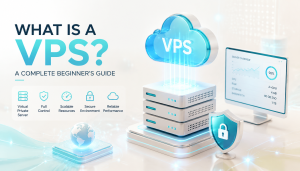 STEP 02What Is a VPS? A Complete Beginner’s GuideLearn how a virtual private server works.
 STEP 03Managed vs Unmanaged VPS: What’s the Difference?Know which administration tasks are your responsibility.
 STEP 04What Is Linux? A Beginner’s Guide to Linux ServersMeet the operating system used throughout this path.
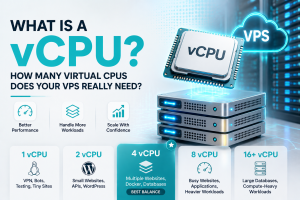 STEP 05What Is a vCPU? How Many Virtual CPUs Does Your VPS Really Need?Understand virtual CPUs before choosing a plan.
 STEP 06How Much RAM Does Your VPS Really Need? 1GB vs 2GB vs 4GB vs 8GBMatch server memory to the workload you want to run.
 STEP 07What Is an IP Address? IPv4 and IPv6 Explained for Server BeginnersUnderstand the address used to reach your server.
 STEP 08What Is a Port? TCP and UDP Ports Explained for BeginnersLearn how ports identify network services.
 STEP 09SSH Keys Explained: How Secure Server Access WorksUnderstand key pairs and secure server access.
 STEP 10Linux Shell Explained: Terminal, Bash, Commands, and ScriptsGet comfortable with the terminal, Bash, and commands.
 STEP 11Linux File System Explained: /etc, /var, /usr, /home, /tmp, and MoreFind your way around /etc, /var, /home, and other directories.
 STEP 12Linux Users and Groups Explained: UID, GID, root, sudo, and User AccountsUnderstand root, sudo, users, and groups.
 STEP 13Linux File Permissions Explained: chmod, chown, Users, and GroupsLearn who can read, write, and execute files.
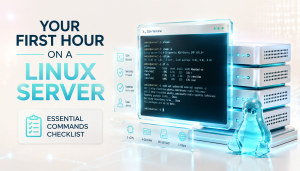 STEP 14Your First Hour on a Linux Server: Essential Commands ChecklistBring the foundations together in your first server session.
 STEP 15Linux Package Management Explained: Packages, Repositories, APT, and DNFLearn how repositories, APT, and DNF manage software.
 STEP 16What Is a Linux Process? How Programs Run on a ServerUnderstand how programs run on a Linux server.
 STEP 17What Is a Linux Service? Daemons and Background Services ExplainedLearn what background services are and how they work.
 STEP 18systemctl Commands Explained: How to Manage Linux Services SafelyInspect and manage services with systemctl.
 STEP 19journalctl Explained: How to Read Linux Service Logs and Find ErrorsRead service logs and find useful error messages.
 STEP 20Linux Server Health Check Checklist: 15 Commands to Run FirstFinish by checking your server’s services and resources.