A VPS feels like its own computer. It has CPU resources, memory, disks, network interfaces, an operating system, users, processes, and usually administrative access. Yet several VPS instances may be running on one physical server at the same time.
The technology that makes this possible is virtualization, and one of its central components is the hypervisor.
A hypervisor is the software layer that creates and runs virtual machines on physical hardware. It provides each virtual machine with virtual CPUs, memory, storage, and devices while coordinating access to the real resources underneath.
In VPS hosting, this allows one physical server to host multiple isolated virtual servers. Each guest operating system behaves as if it has its own machine, even though some underlying hardware may be shared.
- 🎯 What You’ll Learn
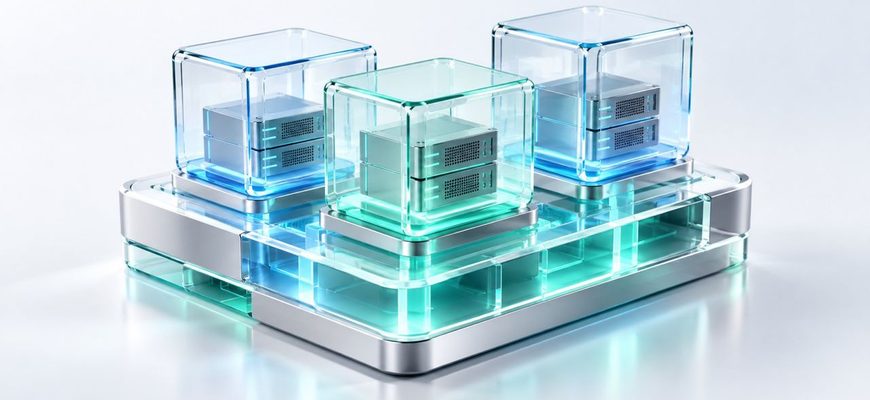
- 🧠 The Mental Model: One Physical Machine, Several Virtual Machines
- ⚙️ What Does a Hypervisor Actually Do?
- 🧩 What Does the Guest Operating System See?
- 🧱 How VPS Isolation Works
- 🖥️ KVM, QEMU, and libvirt: Why Do These Names Appear Together?
- 🚀 Why Is Hardware-Assisted Virtualization Important?
- 📦 Virtual Machines vs Containers
- 🧪 Mini Lab: Is Your Linux System Running in a VM?
- 1. Ask systemd to detect virtualization
- 2. Check the system summary
- 3. Inspect CPU information
- ⚠️ Common Beginner Mistakes
- ✅ Knowledge Check
- 📚 Official References
🎯 What You’ll Learn
Understand the physical host, virtual machine, guest operating system, and hypervisor.
See how vCPU, virtual RAM, disks, and network interfaces relate to physical resources.
Learn why neighboring virtual machines do not normally share one operating-system environment.
Separate full-machine virtualization from container-based isolation.
🧠 The Mental Model: One Physical Machine, Several Virtual Machines
Start with a physical server. It has real CPU cores, physical RAM modules, storage devices, and network interfaces.
Without virtualization, one operating system could use that hardware directly. With virtualization, software can expose several virtual computer environments on top of the physical machine.
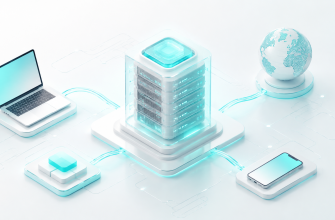
Creates VMs and coordinates their access to hardware
The physical machine is commonly called the host. A virtual machine running on it is a guest. The operating system inside that VM is the guest operating system.
If the idea of a VPS itself is still unclear, read What Is a VPS? first.
⚙️ What Does a Hypervisor Actually Do?
A hypervisor creates virtual machines and coordinates their use of the host’s hardware. The exact architecture depends on the virtualization platform, so it is better to think in responsibilities rather than imagine one universal software design.
🧩 What Does the Guest Operating System See?
One of the useful properties of hardware virtualization is that the guest operating system works with a machine-like environment.
Ubuntu running inside a VM does not need to understand every detail of the provider’s physical server. It sees the CPU features exposed to it, its assigned memory, storage devices, network interfaces, and other virtual hardware.
| Inside the VPS | What It Represents | What May Exist Underneath |
|---|---|---|
2 vCPU |
Two virtual CPU execution contexts exposed to the guest | Physical CPU cores or hardware threads shared and scheduled by the platform |
4 GB RAM |
Memory made available to the VM | Physical host memory managed through virtualization |
| Virtual disk | A block device visible to the guest | Local SSD/NVMe, a disk image, a logical volume, or network-backed storage |
| Virtual NIC | A network interface visible inside the VM | Virtual switching plus physical network interfaces on the host |
This distinction is especially important for CPU resources. A vCPU is not automatically a dedicated physical CPU core. How host CPU time is assigned depends on the virtualization platform and hosting plan.
For a deeper explanation, see What Is a vCPU?.
🧱 How VPS Isolation Works
Imagine three customers renting VPS instances on the same physical host. Each VM can boot its own operating system and maintain its own users, files, processes, network settings, and services.
A process running inside VPS A belongs to the operating system inside VPS A. It is not simply another ordinary user process inside VPS B’s Linux environment.
This is an important difference from traditional shared hosting, where many customers’ websites may operate within one provider-managed operating-system environment.
Isolation is also not a promise that every virtualization product has identical security characteristics. Hypervisors, device models, management software, host configuration, and hardware all form part of the security boundary.
🖥️ KVM, QEMU, and libvirt: Why Do These Names Appear Together?
On Linux virtualization hosts, beginners often encounter three names together: KVM, QEMU, and libvirt. They are related, but they are not three names for the same component.
KVM, or Kernel-based Virtual Machine, provides virtualization capabilities through the Linux kernel. Its API can create virtual machines, virtual CPUs, and virtual devices.
QEMU can provide a virtual machine model including CPU, memory, and devices. When used with KVM on supported Linux systems, guest CPU execution can use hardware-assisted virtualization instead of relying only on software CPU emulation.
libvirt is a virtualization management toolkit and API. Management applications can use it to work with platforms such as KVM/QEMU and other virtualization technologies.
🚀 Why Is Hardware-Assisted Virtualization Important?
Modern processors include features designed to support virtualization. These features let virtualization software run guest workloads while maintaining controlled transitions between guest execution and the virtualization environment.
The practical result is that a VM can run an ordinary operating system while much of its application code executes efficiently on the physical CPU.
This is different from fully emulating every CPU instruction in software. Emulation remains useful when the target CPU architecture differs from the host or when a compatible virtualization accelerator is unavailable, but it solves a different problem and may have very different performance characteristics.
📦 Virtual Machines vs Containers
Virtual machines and containers both provide isolation, but the mental models are different.
| Concept | Virtual Machine | Container |
|---|---|---|
| Kernel | Guest normally runs its own kernel | Containers normally share the host kernel |
| Environment | Machine-like environment | Isolated userspace environment |
| Virtual hardware | Can include vCPU, virtual disks, NICs, firmware, and devices | Usually does not emulate an entire independent machine |
| Typical use | VPS hosting, full operating systems, infrastructure isolation | Application packaging and process isolation |
A container can look surprisingly similar to a small server from inside, which is why the terms sometimes become confused. The key difference is the kernel boundary.
🧪 Mini Lab: Is Your Linux System Running in a VM?
If you have access to a Linux VPS, you can inspect its environment without changing the system. These commands do not require sudo.
1. Ask systemd to detect virtualization
systemd-detect-virt
On a system using systemd, this may print an identifier such as kvm, vmware, microsoft, or another supported environment. A bare-metal machine may report none.
2. Check the system summary
hostnamectl
On some systems, the output includes a Virtualization field alongside the operating system, kernel, and architecture.
3. Inspect CPU information
lscpu
Depending on the platform, lscpu may expose information about the hypervisor or CPU virtualization environment. Do not assume every provider exposes the same details.
⚠️ Common Beginner Mistakes
A full VM is a machine-like environment with its own guest operating system, kernel, virtual CPUs, memory, and devices.
Not necessarily. CPU allocation and sharing depend on the hosting product and virtualization configuration.
They ultimately execute using real processors, memory, storage, and networking provided by the physical infrastructure.
The hypervisor is part of the virtualization system. The VPS is one virtual server created and operated through that infrastructure.
Isolation separates environments. It does not necessarily mean each customer has separate physical hardware.
Containers normally share the host kernel, while a VM normally runs its own guest kernel.
✅ Knowledge Check
1. What is the difference between a host and a guest?
2. What does a hypervisor do?
3. Does 4 vCPU always mean four dedicated physical CPU cores?
4. Why can two VPS instances on one host run separate Linux systems?
5. What is one major difference between a VM and a container?
6. What can systemd-detect-virt tell you?
A VPS feels like an independent server because virtualization gives it a machine-like environment: virtual CPUs, memory, storage, network interfaces, and its own guest operating system.
Underneath, a hypervisor and related virtualization components coordinate those virtual resources with the real hardware of the host.
The most useful mental model is: physical hardware → virtualization layer → virtual machine → guest operating system → applications.
Once that model is clear, VPS specifications such as vCPU, RAM, virtual disks, and virtual network interfaces become much easier to understand.