If you are building your first website, deploying an application, learning Linux, or exploring web hosting, you will eventually encounter the term VPS.
A VPS, or Virtual Private Server, gives you your own virtual server environment with far more control than traditional shared hosting—without requiring an entire physical machine.
For many beginners, it is the bridge between simple website hosting and real server administration.
- What a VPS actually is.
- How virtualization creates multiple servers on one physical machine.
- How VPS differs from shared and dedicated hosting.
- What vCPU, RAM, storage, and bandwidth mean.
- What you can realistically run on a VPS.
- The difference between managed and unmanaged VPS hosting.
- How to choose a sensible first VPS.
- 🖥️ What Is a VPS?
- ⚙️ How Does a VPS Work?
- 🧩 What Is Virtualization?
- ⚖️ Shared Hosting vs VPS vs Dedicated Server
- 🧰 What Can You Do With a VPS?
- 🧠 What Is vCPU?
- 💾 How Much RAM Does a VPS Need?
- ⚡ What Is VPS Storage?
- 🛠️ Managed vs Unmanaged VPS
- 🔐 Is a VPS Secure?
- 🐧 Do You Need Linux Knowledge?
- 🎯 How to Choose Your First VPS
- ✅ VPS Beginner Checklist
- 🚦 Which Hosting Type Fits You?
- ❓ Frequently Asked Questions
- 🎓 Final Thoughts
🖥️ What Is a VPS?
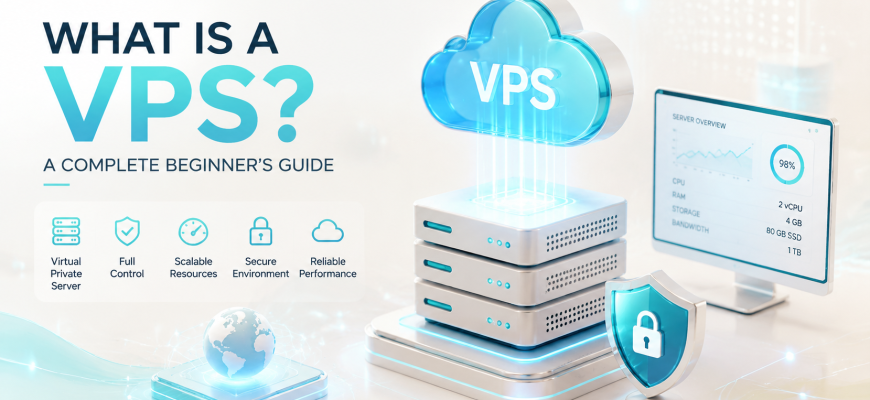
VPS stands for Virtual Private Server.
A VPS is a virtual machine running on a physical server. One physical server can host multiple independent VPS environments, with each behaving much like a separate computer.
Virtual CPU resources
Memory allocated to the VM
Virtual disk backed by physical storage
Virtual interfaces and IP addresses
Your VPS can normally have its own operating system, users, applications, firewall rules, network configuration, and administrator access.
From your perspective, it behaves much like a small standalone server.
The word virtual describes where the hardware resources come from. It does not mean the server is fake or simulated. To the operating system and applications, the VPS behaves like a real independent machine.
⚙️ How Does a VPS Work?
Imagine a powerful physical server in a data center with many CPU cores, large amounts of RAM, fast storage, and high-speed networking.
Instead of assigning the entire machine to one customer, a virtualization layer divides its resources among multiple virtual machines.
2 vCPU / 4 GB RAM
4 vCPU / 8 GB RAM
8 vCPU / 16 GB RAM
16 vCPU / 32 GB RAM
Each VPS operates as an isolated environment. One customer might run Ubuntu while another uses Debian or another supported operating system.
The VPS environments share the same underlying physical host, but they are separated by the virtualization platform.
🧩 What Is Virtualization?
Virtualization is the technology that makes VPS hosting possible.
A software layer called a hypervisor allows one physical server to run multiple virtual machines.
Common virtualization platforms include KVM, VMware ESXi, Microsoft Hyper-V, and Xen.
The hypervisor maps physical CPU, memory, storage, and networking to virtual resources that each VPS can use independently.
⚖️ Shared Hosting vs VPS vs Dedicated Server
The easiest way to understand VPS hosting is to compare it with the two alternatives beginners encounter most often.
Best when you mainly want to manage a website and do not want to administer the underlying operating system.
Best when you want your own server environment, root access, custom software, and room to learn administration.
Best when a workload genuinely needs the resources, expansion, or predictable hardware of an entire physical machine.
🧰 What Can You Do With a VPS?
A VPS is useful because it is a general-purpose server. You decide what software runs on it.
Run Nginx or Apache, PHP, databases, caching systems, and multiple websites.
Control PHP, database settings, caching, SSL, firewall rules, and backups.
Deploy applications with containers and Docker Compose.
Build remote-access services using technologies such as WireGuard or OpenVPN.
Run staging sites, APIs, Git services, databases, and test applications.
Practice SSH, permissions, systemd, firewalls, cron, monitoring, and backups.
🧠 What Is vCPU?
VPS plans commonly advertise specifications such as:
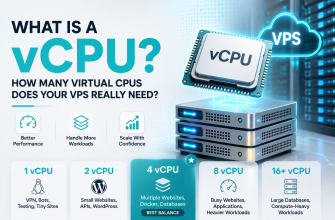
A vCPU is a virtual processor resource presented to your virtual machine.
It does not automatically mean that one entire physical CPU core belongs exclusively to your VPS.
Two VPS plans advertising the same number of vCPUs can perform differently because the physical processor, allocation policy, virtualization configuration, and host load can differ.
💾 How Much RAM Does a VPS Need?
RAM requirements depend on the applications you run. The following values are useful only as rough learning-oriented starting points.
Do not memorize RAM numbers as rules. Learn to measure actual memory usage. A lightweight optimized service can use less RAM than a poorly configured application with a much smaller workload.
⚡ What Is VPS Storage?
A VPS normally sees a virtual disk, while the real data lives on physical storage controlled by the hosting platform.
Common storage technologies include SSD and NVMe.
Storage performance matters especially for databases, busy websites, logging, search workloads, application caches, and workloads involving many small files.
A larger virtual disk is not automatically a faster virtual disk. Capacity, latency, IOPS, throughput, and underlying storage architecture are separate characteristics.
🛠️ Managed vs Unmanaged VPS
This distinction matters enormously for beginners.
The provider may assist with tasks such as:
- updates;
- monitoring;
- security configuration;
- backups;
- web server configuration;
- troubleshooting.
You normally manage tasks such as:
- system updates;
- SSH configuration;
- firewall rules;
- web server installation;
- databases;
- monitoring;
- backups.
For learning Linux administration, an unmanaged VPS provides direct exposure to the work administrators actually perform.
🔐 Is a VPS Secure?
A VPS can be secure, but an Internet-facing server must be maintained.
- Install operating system updates.
- Use strong SSH authentication.
- Create appropriate administrative users.
- Configure a firewall.
- Expose only required ports.
- Keep applications updated.
- Monitor authentication and system logs.
- Create independent backups.
On unmanaged infrastructure, root access gives you control—and responsibility. The provider protects the hosting platform; you must protect what you install inside your VPS.
🐧 Do You Need Linux Knowledge?
You do not need to be a Linux expert before using a VPS.
In fact, a VPS is one of the best places to learn.
Linux servers are commonly administered through SSH:
ssh user@server-ipOnce connected, you work primarily through the command line.
- Files and directories
- Users and permissions
- Package management
- Processes and services
- Ports and networking
- SSH
- Firewalls
- Logs
🎯 How to Choose Your First VPS
Do not begin by buying the biggest server you can afford.
For a wide range of beginner labs and small projects, a modest configuration is enough:
The exact resources matter less than choosing a platform that lets you learn without unnecessary complexity.
Useful features include:
- reliable virtualization;
- SSD or NVMe storage;
- console access;
- easy operating system reinstall;
- snapshots or backups;
- clear bandwidth limits;
- suitable geographic location;
- simple resource upgrades.
✅ VPS Beginner Checklist
- What will I run on the server?
- Do I need Linux or Windows?
- How much RAM does the application need?
- How much storage is required?
- Where are the users located?
- Is IPv4 included?
- Are there traffic limits?
- Are snapshots available?
- Are backups included?
- Is the VPS managed or unmanaged?
- Can resources be upgraded later?
- Am I prepared to maintain the operating system?
🚦 Which Hosting Type Fits You?
You mainly want to publish a website and have little interest in managing Linux, web servers, databases, updates, or firewall rules.
You want to learn Linux, configure your own server, run Docker, deploy custom applications, host multiple services, or control your software stack.
If your VPS runs Ubuntu, choosing whether to stay on LTS or move to an interim release is part of that maintenance. Our Ubuntu 26.10 vs 26.04 LTS guide explains the trade-offs for servers.
The workload genuinely requires much more CPU, RAM, storage, expansion, specialized hardware, or predictable physical resources.
❓ Frequently Asked Questions
What does VPS stand for?
Virtual Private Server. It is a virtual server environment running on physical infrastructure.
Is a VPS the same as a virtual machine?
A VPS is essentially a virtual machine delivered as a hosting service. The provider operates the physical infrastructure and virtualization layer.
Is VPS better than shared hosting?
Not always. VPS gives you more control, while shared hosting removes much of the administration burden.
Can I host multiple websites on one VPS?
Yes, provided the VPS has enough CPU, RAM, storage, and network capacity for the workloads.
Can I install Docker on a VPS?
Usually yes when the virtualization environment and operating system support it.
Do I need a control panel?
No. A VPS can be managed entirely through the command line. Control panels are optional management layers.
🎓 Final Thoughts
A Virtual Private Server gives you many capabilities associated with a dedicated server without requiring an entire physical machine.
Shared hosting: someone else manages most of the server; you mainly manage the website.
VPS hosting: you receive your own virtual server and much greater control.
Dedicated hosting: you receive the entire physical server.
If your goal is simply to publish a small website, shared hosting may be enough.
If your goal is to learn Linux, run your own applications, use Docker, configure web servers, or develop real server-administration skills, a VPS is one of the most practical places to start.
A VPS is where hosting starts to become server administration. You gain control over the operating system, applications, networking, security, and configuration—and that makes it an excellent environment for learning how real servers work.