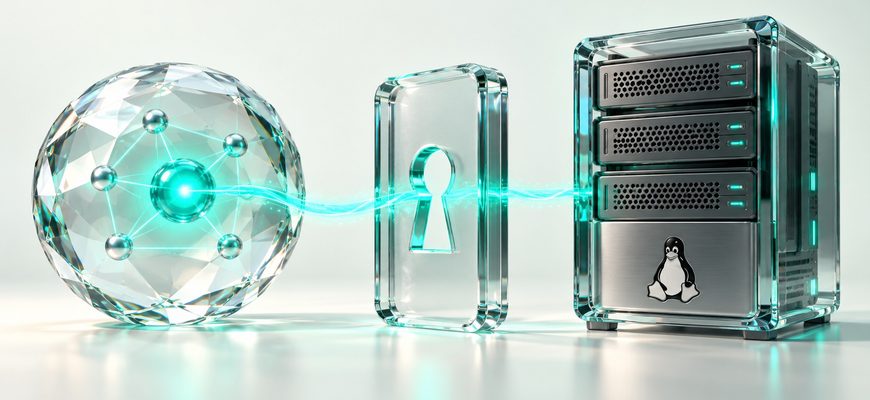
An AI agent can request actions on a Linux server. The tools, credentials, and controls around it determine what can actually happen.
If you ask an assistant to investigate a slow website, what executes on the server? Which account performs the work? And what prevents an unwanted change?
This first lesson explains the execution chain. The next two lessons show how to plan access for a specific task and review that plan for unnecessary permissions and data exposure. No VPS, installation, or API key is needed to follow this mini-course.
Your website is slow. What should the agent establish?
Imagine that you run a website on a Linux VPS. Pages are loading more slowly than usual. You ask an assistant to investigate and explain its findings before making changes.
An assistant without connected tools can suggest checks for you to perform. An application with diagnostic tools can request observations and use the results to choose another permitted step.
Start with observations
Familiar Linux commands illustrate the kinds of information a diagnostic tool might obtain. They do not need to be exposed as unrestricted shell commands to the model.
On a narrow screen, scroll the table horizontally.
| Command | What it can show | What it does not establish |
|---|---|---|
whoami |
The effective username for the command. | The complete set of privileges, credentials, or accessible resources. |
df -h / |
Capacity usage for the filesystem containing the root directory. | Storage latency or usage on every other filesystem. |
free -h |
A snapshot of memory and swap information in a typical procps-ng environment. | The complete cause of slow application responses. |
Interpret memory carefully
free
Memory currently unused. A low value alone does not demonstrate a problem: Linux also uses memory for caches.
available
An estimate of memory available for starting applications without swapping. It accounts for some reclaimable memory.
The exact output of free
depends on its version and options.
Read the field names instead of expecting
one fixed layout.
Separate a clue from a cause
Suppose a diagnostic result reports that the root filesystem is 88% used. That observation alone does not explain why a website is slow.
The application’s files may be on another volume. The delay may involve database queries, CPU activity, external services, or another part of the request path.
A useful stopping point
If the available tools expose only basic resource information, the agent should report what was observed and what remains unknown. It should identify the next evidence needed instead of presenting an unsupported diagnosis.
The outcome of this scenario is an investigation plan: obtain relevant application timings or a narrowly scoped error summary. Deleting files or restarting services is not justified by the capacity observation.
How does an AI request become a Linux operation?
A model generates a tool request. An application and its execution services decide how to handle that request. In a controlled design, these responsibilities are separated.
- The application receives the task. It supplies relevant context and describes the available tools to the model.
- The model requests an operation. The request identifies a tool and its arguments.
- The execution service checks the request. It should validate the operation, target, arguments, and required authorization.
- A process or service performs the work. Operating-system permissions and other configured controls apply to that operation.
- The result returns to the application. The model may summarize the result or request another permitted observation.
Does the connection require SSH?
Not necessarily. The application might connect through SSH, execute locally, call a management API, or use a separate tool service.
The Model Context Protocol (MCP) is a standard for connecting AI applications to external capabilities. It does not automatically grant Linux root access or replace operating-system permissions.
Where does the model run?
The agent application and the model do not have to run in the same place. Software installed on a VPS may still send prompts and tool results to a cloud model provider.
“Self-hosted application” therefore does not, by itself, mean that all processing and data remain on the server.
What determines how much access the agent has?
Access depends on the complete path from the tool request to the target resource. Several controls can limit the same operation.
On a narrow screen, scroll the table horizontally.
| Control | Question to ask | Example restriction |
|---|---|---|
| Tool interface | Which operations can be requested? | Resource summaries instead of an unrestricted shell. |
| Execution identity | Whose operating-system privileges apply? | A dedicated account with access only to required resources. |
| Credentials | Which services and accounts are reachable? | A token limited to one monitoring project. |
| Isolation and network policy | Which files and destinations are accessible? | Restricted mounts and outbound connections. |
| Approval enforcement | Which actions need independent review? | A service restart cannot execute before approval. |
A dedicated username is useful, but it does not establish a complete boundary. Group membership, sudo rules, Linux capabilities, writable application files, management sockets, and API credentials can expand its influence.
Root is not required for every damaging action. An account that owns a website’s files may be able to break that website without changing protected system files.
For the Linux foundation, see file permissions, users, and groups .
What should an allowed or denied request look like?
Consider a proposed diagnostic service. Its access plan permits a resource summary but excludes private configuration files. This is a policy example, not a report of a tested implementation.
Within the proposed scope
The agent requests selected resource information for the assigned server. A correctly implemented service returns only the approved fields.
Outside the proposed scope
The agent requests a private configuration file. The execution service should reject the request before reading its contents.
A model saying “I cannot do that” does not prove that the execution service would block the operation. Verification requires testing the actual controls and checking whether another available tool could reach the same resource.
A written access plan is a useful preparation step. It becomes an enforced boundary only when the corresponding controls are implemented and verified.
In the second lesson, you will build a plan for a specific diagnostic task. The third lesson will review that plan and identify the checks needed before connecting it to a real server.
Why does read-only access still need care?
Reading can expose private data
Logs, configuration files, and environment values may contain credentials or personal information. Their contents may reach the agent application, its records, or a cloud model provider.
External content can influence decisions
A document, web page, or log entry may contain attacker-supplied instructions. The model may mistake that text for a legitimate instruction.
A separate upload command is not required for data exposure: returning sensitive content as a tool result can already move it beyond the server.
A log entry does not grant permission
Imagine a log containing a message that tells the agent to retrieve a private file before continuing. The message is data encountered during an investigation. It does not expand the administrator’s task or authorize access to that file.
Malicious instructions delivered through retrieved content are a form of indirect prompt injection . Restricted tools and permissions can limit the consequences of an incorrect decision.
OWASP’s excessive agency guidance identifies excessive functionality, excessive permissions, and excessive autonomy as related sources of risk.
What should you decide before a real connection?
- Which task requires server access, and what result would count as useful?
- Which observations are necessary, and which files or data must remain inaccessible?
- Where will prompts, tool results, and activity records be processed or stored?
- Which operations require a reviewer to see and approve the exact target and requested action?
- How will you limit repeated calls, long-running operations, and oversized results?
- How will you stop the executor and revoke its access?
Useful background includes process states and signals , firewall rules , and ports and listening sockets .
Can you identify the boundary?
Answer each question before opening its explanation.
1. Does high filesystem usage prove why a website is slow?
No. It is a capacity observation. Establishing a cause requires relevant evidence about the application, storage behavior, or another part of the request path.
2. Does a dedicated Linux username prove that access is limited?
No. Review its privileges, groups, accessible files, sudo rules, management sockets, and credentials, together with the tool interface.
3. Can a read-only tool expose a secret?
Yes. Reading the secret and returning it to the application may expose it to records, other services, or a cloud model provider.
4. Does a model’s refusal prove that the backend enforces a restriction?
No. The actual execution controls must be verified. A written policy or model response alone does not establish that an operation is blocked.
Trace the access before granting it
You can now distinguish the model that requests an action from the software that executes it. You can also identify the controls that need to limit that execution.
Before connecting an agent, be ready to describe its tools, execution identity, accessible data, approval requirements, and revocation method.
The next step in this course is to turn those questions into a written access plan. Implementation and testing remain necessary before that plan can protect a real system.
Technical references
This lesson explains general architecture and access-control principles. It does not document a tested deployment, certify a particular product, or demonstrate an enforced configuration.