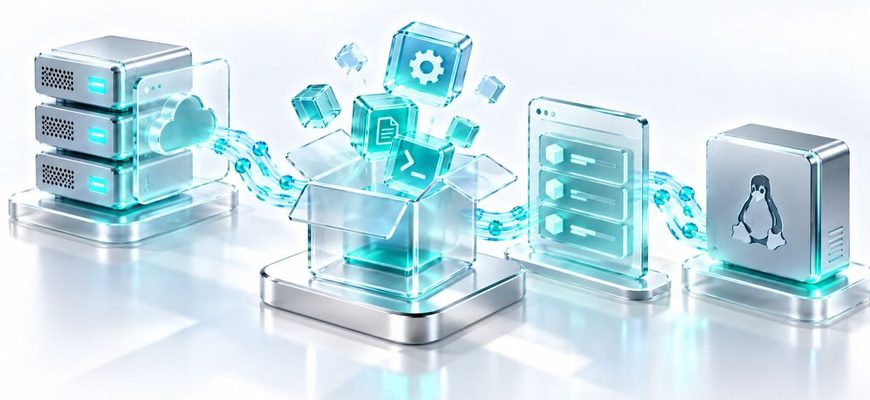
On a Linux server, installing software usually does not mean searching the web for an installer. Linux distributions organize software into packages, publish those packages through repositories, and use package-management tools to install the right files and track what the system depends on.
Understanding this system is a basic administration skill. It explains what happens when you install a web server, why one package may pull in several others, what apt update actually updates, and why Debian-based and RPM-based distributions use different commands for similar jobs.
A package is a distribution-managed unit of software. A repository is a source from which package-management tools obtain package metadata and packages. A package manager uses that information to find software, resolve dependencies, install packages, upgrade them, and remove them while keeping track of the system’s package state.
Debian-family systems commonly use APT together with the lower-level dpkg package system. Fedora and related RPM-based systems commonly use DNF, while individual package files use the RPM format and database.
- What a Linux package actually contains and why distributions use packages.
- How repositories make software discoverable and maintainable.
- What dependencies are and why package managers resolve them.
- How APT relates to dpkg and how DNF relates to RPM.
- The difference between refreshing repository metadata and upgrading installed software.
- How to inspect packages safely before changing a server.
- 📦 The Linux Package Management Mental Model
- 📦 What Is a Linux Package?
- Files
- Metadata
- Relationships
- 🗄️ What Is a Package Repository?
- 🔗 What Are Package Dependencies?
- 🧭 Package Manager vs Package Tool
- 🔄 What Does apt update Actually Do?
- 🔎 How to Inspect Packages Before Installing Them
- Search for a package with APT
- Show package information with APT
- Search with DNF
- Display package information with DNF
- ⚙️ What Happens During Package Installation?
- You request a package
- The package manager examines available metadata
- Dependencies are resolved
- Required package data is obtained
- The package system changes installed state
- 🧪 Mini Lab: Inspect Your Package System Safely
- 1. Identify the Linux distribution
- 2. Check which package-manager command exists
- 3. Inspect an installed package on Debian-based systems
- 4. Inspect an installed package on RPM-based systems
- 5. Inspect repository-aware package information
- ⚠️ Common Package Management Mistakes
- 🧩 A Better Way to Think About Linux Software
- Repository
- Package
- Dependency
- Package Manager
- ✅ Knowledge Check
- 📚 Official References
📦 The Linux Package Management Mental Model
The easiest way to understand package management is to stop thinking of it as a single installation command. It is a chain of components that work together.
Suppose you want to install a web server. The package manager first needs to know which packages are available from configured repositories. It finds the requested package, determines what other packages are required, retrieves the necessary package files, and asks the underlying package system to install them.
That is why a command such as apt install nginx can do much more than copy one executable into a directory.
Think of the package manager as the coordinator, not as the software itself. It knows where packages come from, what they require, what is already installed, and which package operations are needed to reach the requested state.
📦 What Is a Linux Package?
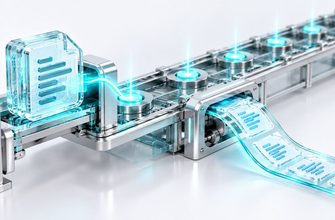
A package is a structured unit used by a Linux distribution to distribute and manage software. It can contain executable programs, libraries, documentation, configuration-related files, and metadata describing the package.
The metadata is especially important. It can identify the package name and version, describe relationships with other packages, and provide information needed by the package-management system.
Files
Programs, libraries, documentation, and other files supplied by the package.
Metadata
Information such as the package identity, version, architecture, and package relationships.
Relationships
Information describing packages that may be required, conflict with one another, or satisfy another requirement.
Different distribution families use different package formats. Debian and Ubuntu use Debian packages, commonly identified by the .deb filename extension. Fedora, RHEL-family systems, and several other distributions use RPM packages, commonly identified by .rpm.
The package format is only one layer. The tools administrators normally use for day-to-day package management operate above it.
A distribution release upgrade can also change which package versions and repositories are available. If you run Ubuntu Server, our Ubuntu 26.10 vs 26.04 LTS comparison explains how release lifecycle and package changes affect an upgrade decision.
🗄️ What Is a Package Repository?
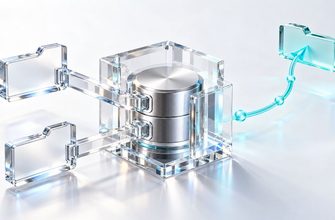
A repository is a software source prepared for a package-management system. It contains or references packages and publishes metadata that allows package-management tools to discover what is available.
Instead of manually finding an installer for every program, the package manager can work from configured repositories. This gives the distribution a controlled way to publish software versions and updates for that distribution release.
A simplified relationship looks like this:
repository
    ↓
package metadata
    ↓
package manager
    ↓
selected package + dependencies
    ↓
installed system
The repository also provides context. The package manager can compare available versions with packages already installed on the machine.
Adding a repository changes where the system is willing to obtain software and updates. Treat repository configuration as a trust decision. Use repositories intended for your distribution and release, and understand the source before enabling it on a server.
🔗 What Are Package Dependencies?
Software rarely works in complete isolation. A program may need a shared library, interpreter, supporting utility, or another package to provide functionality it expects.
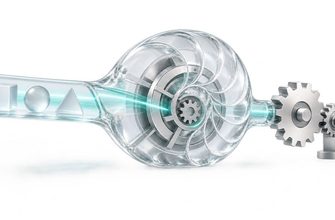
A dependency is a package relationship describing such a requirement. One of the major advantages of a higher-level package manager is that it can reason about these relationships instead of forcing the administrator to locate every required package manually.
The diagram is a simplified model. Real dependency relationships can be deeper and may include alternatives, version constraints, recommendations, conflicts, or packages that provide a required capability.
The important beginner idea is simpler: installing one named package does not necessarily mean installing only one package.
🧭 Package Manager vs Package Tool
A common source of confusion is seeing several package-related commands on the same Linux distribution. They are not necessarily competing tools. They often operate at different layers.
| Distribution Family | Higher-Level Tool | Lower-Level Package System | Package Format |
|---|---|---|---|
| Debian / Ubuntu | APT | dpkg | .deb |
| Fedora / current RHEL family | DNF | RPM | .rpm |
APT works with configured software sources and handles tasks such as dependency resolution and retrieving packages. dpkg is the lower-level Debian package-management tool that operates on the Debian package database and package files.
On RPM-based systems, RPM provides the underlying package format and package-management database, while DNF provides higher-level repository and dependency-management functionality.
For everyday administration, think APT or DNF first. Think dpkg or RPM when you specifically need to inspect or work with the lower package layer.
🔄 What Does apt update Actually Do?
The word update causes one of the most common beginner misunderstandings on Debian-based systems.
Running:
apt updatedoes not mean “upgrade all installed programs.”
APT retrieves current package information from the configured sources and updates its local knowledge of packages that are available.
A useful mental model is:
apt update
repository information → local package information
After that information has been refreshed, APT can determine whether newer versions of installed packages are available from the configured sources.
apt updateRefreshes APT’s package information from configured sources.
apt upgradePerforms upgrades according to APT’s upgrade rules using the available package information.
These are separate operations. Refreshing metadata tells the package manager what is available. Upgrading changes installed packages.
🔎 How to Inspect Packages Before Installing Them
Package management is safer when inspection comes before modification. You can ask the package manager what it knows before installing anything.
Search for a package with APT
apt search nginxThis searches the available package information known to APT. Search output can include multiple packages whose names or descriptions match the term.
Show package information with APT
apt show nginxThis can display information such as the package version, dependencies, description, architecture, and other package metadata available to APT.
Search with DNF
dnf search nginxOn a DNF-based system, this searches package metadata available through DNF’s configured repositories and cache.
Display package information with DNF
dnf info nginxThis displays information DNF has about matching packages.
⚙️ What Happens During Package Installation?
The exact implementation differs between package-management systems, but the high-level process is similar enough to build a useful mental model.
You request a package
The package manager receives a package name or another supported package specification.
The package manager examines available metadata
It determines which package version is available from configured sources and considers the current state of the system.
Dependencies are resolved
The package manager calculates additional package operations needed to satisfy the requested installation.
Required package data is obtained
Packages that are not already available locally can be retrieved from configured repositories.
The package system changes installed state
Package files and metadata are installed and the package database is updated. Package-specific installation actions may also run.
This is why an installation transaction should be read before it is confirmed. The package manager may propose more changes than the single package name typed at the command line.
🧪 Mini Lab: Inspect Your Package System Safely
This lab focuses on inspection. It does not require installing, removing, or upgrading packages.
1. Identify the Linux distribution
cat /etc/os-releaseLook for fields such as ID, ID_LIKE, and the distribution version. These help explain which package-management family the machine belongs to.
2. Check which package-manager command exists
command -v apt
command -v dnf
A printed path means that command was found in the current shell’s command search path. No output from one command is normal when the system uses another package-management family.
3. Inspect an installed package on Debian-based systems
dpkg-query -W bashIf the package is installed and known to the dpkg database, the command prints package information according to dpkg-query‘s default output format.
4. Inspect an installed package on RPM-based systems
rpm -q bashThis queries the RPM database for the installed bash package. It does not install or upgrade anything.
5. Inspect repository-aware package information
On an APT-based machine:
apt show bashOn a DNF-based machine:
dnf info bashCompare this with the lower-level package query. The important observation is that Linux package management has both an installed-package layer and a repository-aware management layer.
⚠️ Common Package Management Mistakes
It refreshes package information. Upgrading installed packages is a separate operation.
They work in the same package ecosystem but at different layers. APT provides repository-aware dependency management; dpkg is the lower-level Debian package tool.
Dependencies and package relationships can cause a transaction to include additional packages.
Repository configuration affects what software the package manager trusts and considers for installation or upgrades. Compatibility and provenance matter.
A Debian-based tutorial may use APT while a Fedora-based server uses DNF. Identify the distribution before applying package-management instructions.
Review which packages will be installed, removed, or upgraded before approving changes on an important server.
🧩 A Better Way to Think About Linux Software
Package management becomes much easier once the layers are separated.
Repository
Where the package-management system obtains information about available software and, normally, the package data itself.
Package
A distribution-managed software unit containing files and metadata.
Dependency
A package relationship describing software required for another package or capability.
Package Manager
The tool that coordinates repositories, dependency resolution, package selection, installation, removal, and upgrades.
With this model, commands stop looking like magic. When you run a package-management command, ask which layer it is interacting with: repository metadata, dependency resolution, downloaded package files, or the installed package database.
✅ Knowledge Check
- What is the difference between a package and a repository?
- Why can installing one package cause additional packages to be installed?
- What is the practical relationship between APT and dpkg?
- What is the practical relationship between DNF and RPM?
- Does apt update upgrade all installed packages?
- Why should repository configuration be treated as a trust decision?
🎓 Check Your Answers
- A package is a managed unit of software and metadata. A repository is a source that publishes package information and packages for package-management tools.
- The requested package may depend on other packages. A higher-level package manager resolves those relationships and can include the required packages in the transaction.
- APT is a higher-level Debian-family package-management interface with repository and dependency-management capabilities. dpkg is the lower-level package-management system used for Debian packages and the installed package database.
- DNF provides higher-level repository and dependency management on supported RPM-based distributions. RPM provides the underlying package format, database, and lower-level package operations.
- No. apt update refreshes APT’s information about packages available from configured sources. Upgrading installed packages is a separate operation.
- Repositories influence which software and updates the package manager can obtain. Adding a repository therefore changes part of the system’s software supply chain and should be done deliberately.
Linux package management is a system of cooperating layers: repositories publish software, packages contain managed software and metadata, dependencies describe relationships, and package managers coordinate the changes required on the machine.
On Debian-family systems, remember the relationship APT → dpkg. On common RPM-based systems, remember DNF → RPM. Once those layers are clear, installing and updating software becomes much easier to reason about safely.