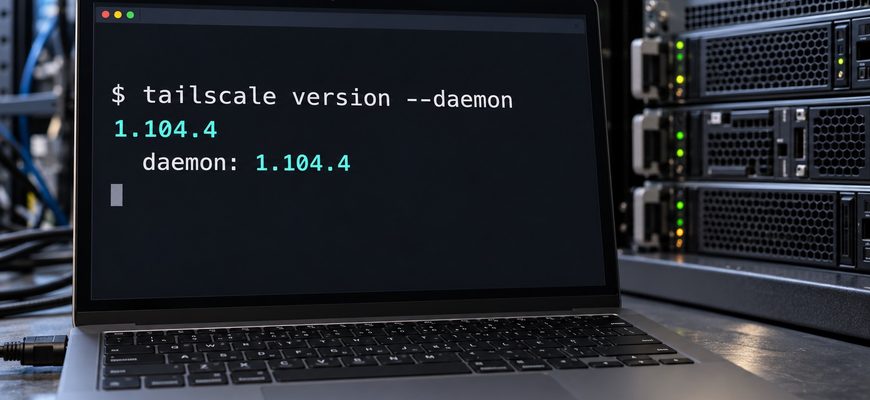
If Tailscale is how you reach your Linux servers, check which version is running on those servers. The October 28 update, 1.104.4, fixes security flaws in Tailscale SSH and Serve—including paths to privileged Unix sockets.
A successful login is only the first access decision. The session still needs to respect the permissions of its local user. That distinction matters on a machine where Docker and other privileged services run alongside ordinary accounts.
Check the server’s running Tailscale daemon, identify whether SSH or Serve is enabled, and update affected nodes to 1.104.4 or a newer stable release. Updating your laptop alone does not patch a remote server.
The release is dated October 28, 2026. Tailscale’s official changelog lists four security fixes.
In this guide
First, identify which SSH server handles your connection
Using the ssh command over a Tailscale address does
not, by itself, tell you which SSH server receives the connection.
There are two common setups:
OpenSSH over Tailscale
Tailscale carries the traffic. Your existing OpenSSH server handles the SSH session and its authentication.
Tailscale SSH
The SSH server built into tailscaled handles
the session, using Tailscale identities and SSH policies.
The SSH-specific findings concern the built-in server. A host using ordinary OpenSSH still deserves a separate check for Serve. The features can be configured independently. Tailscale explains the distinction in its SSH documentation.
If the underlying login process is unfamiliar, our guide to SSH keys explains the standard OpenSSH model.
About the “Tailworm” name: Tailscale says the reported SSH attack paths require an existing authorized foothold and applicable policy permissions. Its investigation describes lateral movement, rather than automatically spreading malware or unauthenticated access to arbitrary SSH servers. Read the developer’s findings and fixes for the stated limits.
Four fixes, with different conditions
Check the features you actually run. A version number helps identify what to update; configuration determines which paths need attention.
| Bulletin | Feature and condition | Potential impact |
|---|---|---|
| TS-2026-014 | Tailscale SSH with permitted local or remote forwarding. | Access to root-only Unix sockets. |
| TS-2026-015 | Tailscale SSH; an authenticated session allowed by policy. | Memory exhaustion and connection disruption. |
| TS-2026-016 | Serve Unix backends; relevant configuration or backend-path write access. | Privileged socket access or node takeover. |
| TS-2026-017 | Serve TLS; multiple mounts with different capability requirements and concurrent HTTP/2 streams. | Capability headers reaching the wrong backend. |
These conditions are a triage summary. Use the linked bulletins for the full scope of each finding.
A local socket can control more than it appears to
A Unix socket is a local communication endpoint. It can look like a filesystem path, but the service behind it may accept powerful management requests.
On a typical rootful Docker installation, the daemon controls containers and can grant access to host resources. Docker’s own security guidance says only trusted users should control it. Access to its socket is therefore a significant privilege, even when there is no public TCP port for the API.
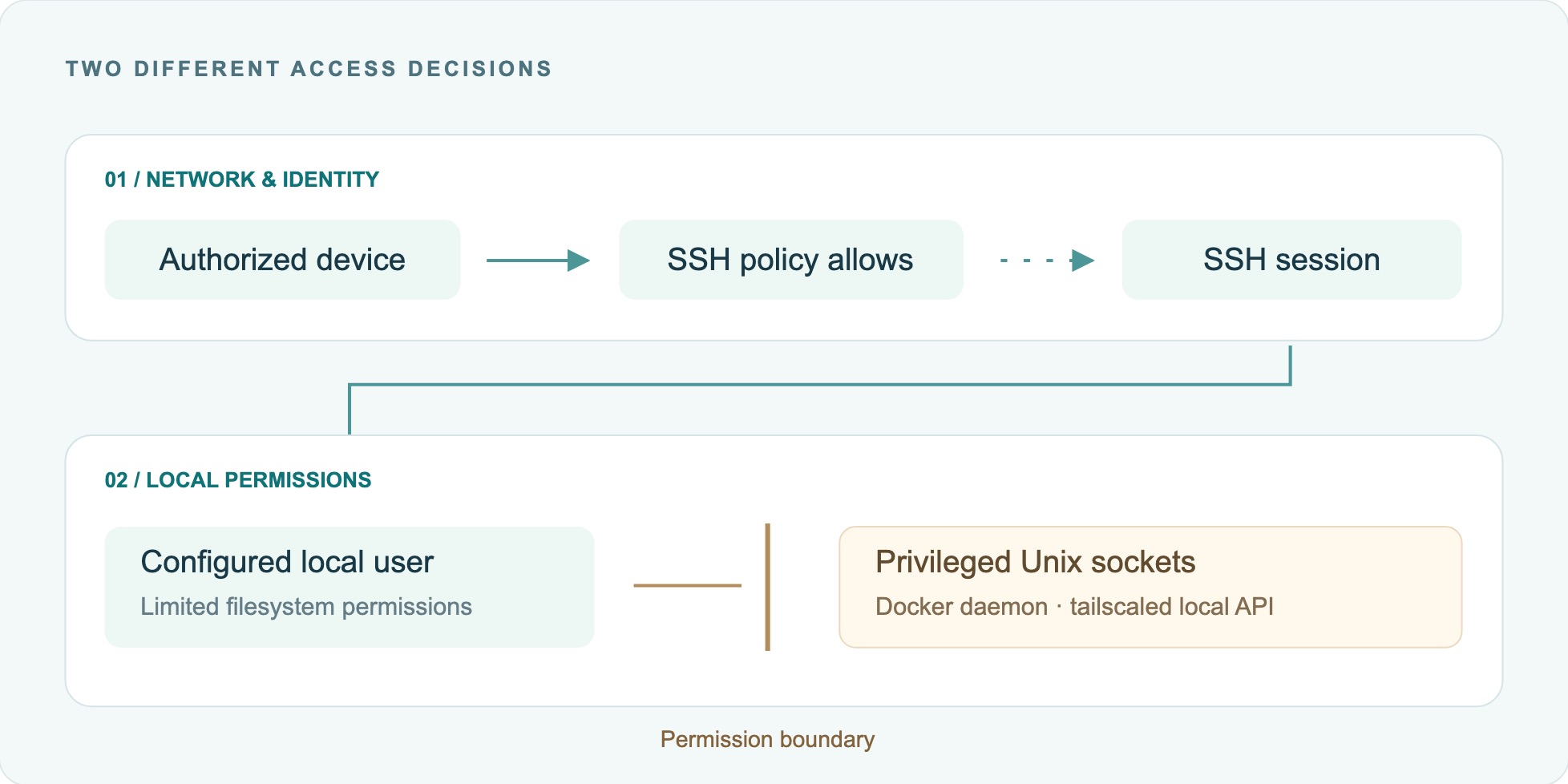
This is also why a clean public-port scan cannot establish that local access controls are correct. Network reachability and filesystem permissions answer different questions. Our guides to Linux ports and sockets and file permissions cover those layers.
Check each Linux node before changing it
Keep a short record for each server: hostname, owner, installation method, running daemon version, enabled features and recovery route. Include quiet machines and utility VMs that are easy to miss.
01 Check the client and the daemon
tailscale version --daemon
The --daemon flag also reports the local daemon
version. Record both values; investigate a mismatch rather than
assuming the running service matches the installed CLI. See the
official version command.
Use the admin console’s device list to work through the fleet, then confirm the nodes you operate. A laptop, a container and its host are separate places to check.
02 Review SSH and Serve separately
Check how the node was configured and which SSH server receives tailnet connections. Review the tailnet’s SSH policy and the node’s management configuration. Do not change SSH settings just to test which implementation is in use.
tailscale serve statusLook for Unix socket backends and multiple TLS mounts. This command displays Serve configuration; it does not establish whether a past exploit occurred. Refer to Tailscale’s Serve CLI reference when interpreting it.
03 Confirm how you can recover access
Open and test the VPS provider’s console or another established management route before an update that may interrupt your only connection. Keep the recovery instructions somewhere you can reach without that server.
Use our server change checklist to record the starting state. If remote access already behaves unpredictably, work through the SSH troubleshooting checks first.
Update through the installation method you already use
For a supported Linux installation with the Tailscale updater available, preview the operation first:
sudo tailscale update --track=stable --dry-runOnce your recovery route is ready and the change window is appropriate, run the update:
sudo tailscale update --track=stableThe command requests the stable track, rather than assuming the current track is stable. If this update method is unavailable, follow the platform-specific update instructions for the way Tailscale was installed.
| Deployment | Update path | Verify afterward |
|---|---|---|
| Linux package | Use the supported updater or the configured package repository. | Installed CLI and running daemon versions. |
| Docker container | Pull the approved patched image and recreate the container through your deployment configuration. | Image identity and daemon version inside the new container. |
| Managed appliance | Use its supported application or package update process. | The version actually running on that appliance. |
Restarting a container can reuse its existing image. Confirm that the deployment fetched the intended image and recreated the workload. Preserve its configuration and persistent state; avoid treating a quick manual change inside a container as the deployment fix.
If you need the package-management background, see how APT, DNF and repositories work.
What if I cannot patch immediately?
Tailscale documents TS_SSH_DISABLE_FORWARDING=1
in the daemon’s service environment, followed by a restart,
as a mitigation for TS-2026-014. It does not cover all four
findings. Check the
bulletin
before applying it.
A restart can interrupt your management connection. Use your established configuration process and recovery route; an environment variable exported only in your interactive shell does not reconfigure an already running daemon.
Verify the service, then test a fresh connection
For a systemd-managed Linux installation, collect the running version, service state and recent logs:
tailscale version --daemon
systemctl is-active tailscaled
sudo journalctl -u tailscaled --since "15 minutes ago" --no-pager
A healthy service state is useful, but it is only one check. Open a new connection from an authorized device and test the actual service you depend on. Confirm that the intended user can connect and that an account without permission is still refused.
For Serve, test the expected backend and access rules as well. Preserve the working recovery session until those checks pass. Our journalctl guide explains how to read service logs without mistaking routine messages for failures.
Patching and incident investigation are separate jobs. A patched version does not prove the server was never misused. If you find unexplained access, containers or configuration changes, preserve the relevant records and investigate before treating the update as the end of the incident.
Use the update to review who can reach what
Once the affected software is patched, review the access you intended to grant:
- Limit SSH access to the people, devices and server groups that need it.
- Check which local users they can become, and where forwarding is required.
- Remove unused Serve configurations and review permissions on backend paths.
- Record update ownership and a working recovery route for every remote node.
For sensitive systems, evaluate Tailscale SSH check mode as an additional authentication step. It complements patching; it does not replace it.
Finish by confirming three things: the affected daemon is patched, access matches the intended permissions, and your recovery route works if the network service fails.
Sources and scope
Prepared October 29, 2026. The release facts and affected conditions come from Tailscale. The operational checklist is Servers Academy’s guidance for Linux administrators. Images and the access diagram are illustrations; this article does not claim an exploit test or evidence of compromise on your server.